CiviCRM “Sorry, your session has expired” error: what actually causes it
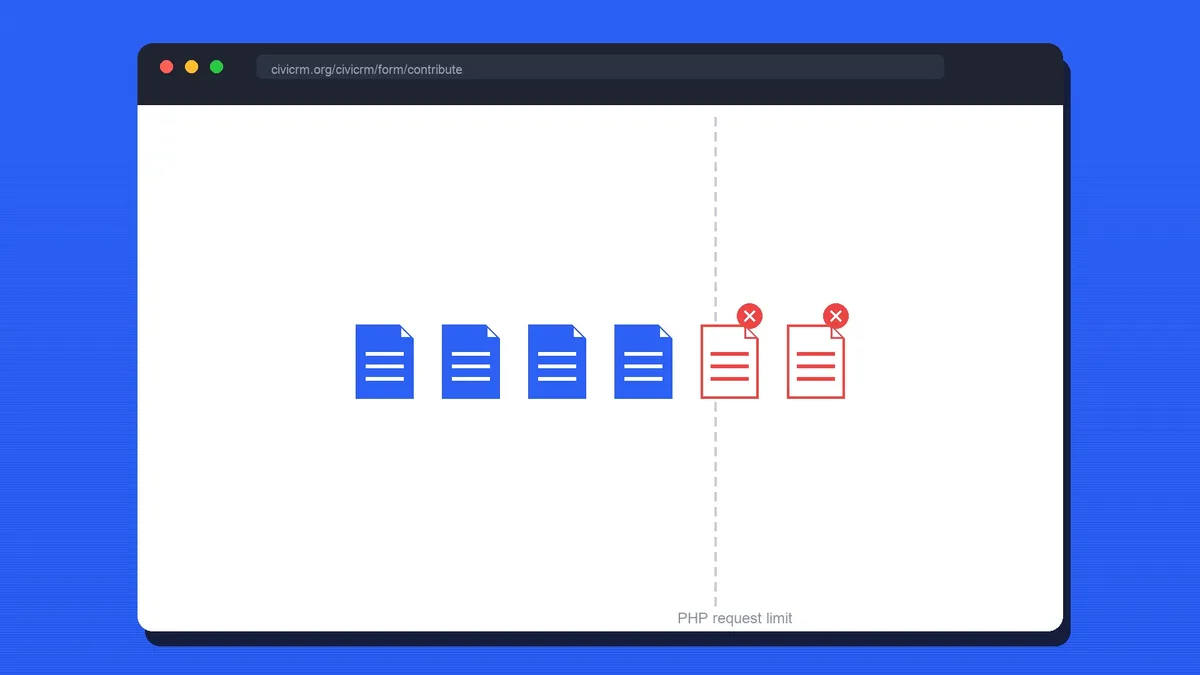
If you run CiviCRM and you’re here, you’ve probably already seen this exact message:
Sorry, your session has expired. Please reload the page or go back and try again.

It shows up after someone fills out an entire form, hits submit, and gets nothing but this error and a blank form to start over on. There’s no confirmation email and no record in CiviCRM. The person spent five minutes on your membership renewal or contribution form and now has to do it again, if they bother at all.
We ran into this on a client site and it took a while to track down. About 40% of submissions on one form were failing this way. Here’s what we tried first, why none of it was the actual problem, and what fixed it for good.
Where people look first (and it’s usually not the answer)
Given the wording, the obvious suspects are:
- Session timeout settings. Bumping
session.gc_maxlifetimeor CiviCRM’s session-related settings feels like the right move given the error text. It isn’t, and changing it won’t fix anything if this is your issue. - Page or object caching. If you’re running Varnish, a CDN, or a caching plugin in front of Drupal or WordPress, it’s reasonable to suspect a cached form is submitting a stale security token. We spent real time here and it wasn’t it.
- Cookies and multi-server setups. If you’re behind a load balancer, mismatched session storage across servers is a real thing that causes real session errors. Worth ruling out, but also wasn’t our cause.
We tried variations of all three. The error kept happening, at roughly the same rate, on the same form.
What was actually going on
The form in question had several file upload fields. The pattern that gave it away: this only ever happened on forms with file uploads, and it got worse the more files (or the larger the files) someone attached.
The cause was PHP’s own limits on how much a single form submission is allowed to contain. Specifically:
max_input_varscaps the total number of input fields PHP will accept in one request. Every file input field, plus CiviCRM’s own hidden form fields (including the token it uses to validate the request), counts toward this.max_file_uploadscaps how many files can be uploaded in a single request, independent ofmax_input_vars.upload_max_filesizeandpost_max_sizecap the size of an individual file and the entire request body.
When a submission goes over any of these limits, PHP drops or rejects part of the request without any warning, before your application code ever sees it, and never throws a clear error back to CiviCRM. If the piece that gets dropped happens to include the field CiviCRM uses to confirm the submission is legitimate, CiviCRM has no way to tell “this request is too big” from “this request is fake or stale.” It falls back to the only message it has for that situation: session expired.
That’s why this looked like a session or caching bug. The real failure was happening one layer down, in PHP, before CiviCRM’s code ran at all.
The fix
Two changes, together, made this go away entirely.
1. Raise PHP’s request and file limits
In php.ini (or your host’s equivalent, such as a .user.ini file or your PHP-FPM pool config), check and raise:
max_input_vars = 3000
max_file_uploads = 40
post_max_size = 32M
upload_max_filesize = 24M
max_input_time = 120
Treat these as starting points and size them to your own forms. Set post_max_size and upload_max_filesize around what people actually upload, with headroom, and reload PHP-FPM or Apache after making the change.
2. Put a reasonable file size limit on the form itself
Raising PHP’s ceiling only helps if submissions stay under it. Go into your form (in CiviCRM’s file upload field settings, or your Webform CiviCRM configuration if you’re using Drupal Webform) and set a sensible maximum file size and file count. This does two things: it keeps submissions comfortably inside your new PHP limits, and it gives people a clear, specific error at upload time instead of a confusing one after they’ve filled out the whole form.
Also check Administer > System Settings > Files in CiviCRM. If the limit set there is higher than upload_max_filesize in PHP, you’re letting people select files your server will reject anyway.
How to tell if this is your issue
Before you touch any config, a few things to check that will confirm whether this is what’s happening on your site:
- Does it only happen on forms with file upload fields? Forms without uploads behaving fine is a strong signal.
- Does it get worse with more attachments or larger files, and rarer with a short, no-attachment version of the same form?
- Check your PHP error log around the time of a failed submission. A note about
max_input_vars,max_file_uploads, or a truncated$_POSTis a direct confirmation. - Reproduce it yourself with a large or multi-file submission and watch the Network tab in your browser’s dev tools. If the POST request leaves the browser fine, the problem is on the server.
If all of that lines up, you’re very likely looking at the same issue.
Wrap up
The message says “session,” so it’s natural to go looking in session config and caching layers first. In our case the real cause was upstream of CiviCRM entirely: PHP rejecting part of a large, multi-file submission, without any warning, before CiviCRM ever got a chance to validate it properly.
If you’re stuck on this on your own CiviCRM site and want a second pair of eyes, email us at hello@northpnd.com and we’ll help you track it down.